Video on a landing page: keep it fast and keep the leads coming
YouTube and Vimeo links, your own clips and a background video in the first screen. What to watch for with speed, autoplay rules, mobile data and the position of the sign-up button.
Answer: On an ad landing page, video works best as support for the first screen, not a replacement for it. Show YouTube and Vimeo as a thumbnail until someone taps play, keep your own clips to 10–20 seconds, muted and looping, and attach a background video only after the page has loaded, with the photo shown first. Keep the request button visible whether or not anyone watches.
Why video slows landing pages down
Most people arriving from an ad are on a phone and decide within seconds whether to stay. A YouTube player embedded as-is downloads its scripts and player before anyone presses play. Your own video set to autoplay starts downloading right away and delays the photo and headline above it.
One of the measures Google uses for page speed is LCP (Largest Contentful Paint): the time until the biggest element of the first screen is drawn. That is usually the hero photo or headline, and a video that takes its place or downloads first pushes it back.
Three ways to add video
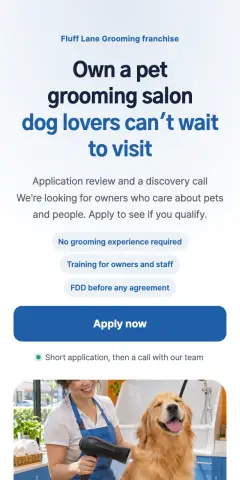 Franchise · Apply to qualify, pet grooming
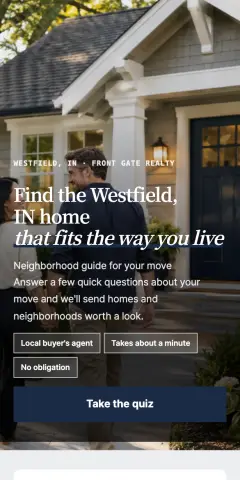 Real estate · Home-search quiz first
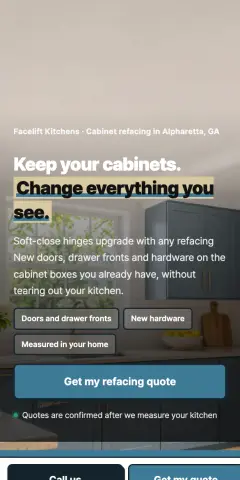 Remodeling · Cabinet refacing quote
1. YouTube or Vimeo link
- The simplest option when you already have an explainer or shop tour online.
- CutLanding shows only the thumbnail and a play button until it is tapped, then loads the player. Visitors who don't watch pay almost nothing.
- YouTube opens from the lower-cookie
youtube-nocookie.comaddress and Vimeo with itsdnt=1do-not-track option.
2. Your own file (MP4 or WebM)
- Suits scenes that make sense without sound: a walk through the shop, a time-lapse of a job.
- With muted autoplay loop on, the clip plays only while it is on screen and pauses when scrolled away, like a GIF.
- Mobile browsers allow autoplay only for muted video. If the sound matters, leave autoplay off and let people press play.
- Uploads can be up to 40MB, but for an ad page aim for under 10MB: trim to about 15 seconds and export at 720p.
3. Background video in the first screen
- A muted, looping clip behind the hero text.
- CutLanding shows the photo first and attaches the video after the page has loaded, so the first screen appears as fast as with the photo alone.
- Visitors with data saver or reduce motion turned on get the photo only.
- Text sits on top of the video, so bright, busy footage makes the headline hard to read. Calm, darker clips work best.
Layout that doesn't cost you leads
- Promise and button first: if video fills the first screen, people can't tell what the page offers. Headline, one line of detail and the button come first.
- Use video to show why you can be trusted: how a consultation runs, what the place actually looks like. Things that are hard to put in words.
- One line under the video: many people watch without sound, so say what the clip shows.
- Keep the button visible: a fixed call/request bar at the bottom lets people act mid-video.
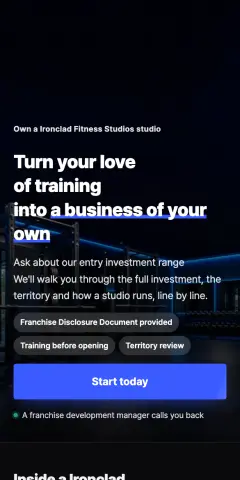 Franchise · Dark gym, own a studio
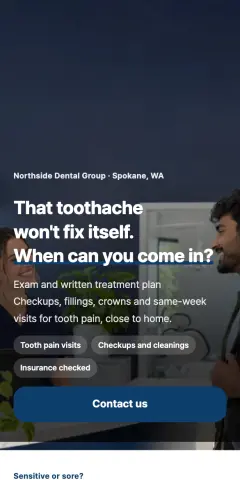 Dental · Photo story, navy and green
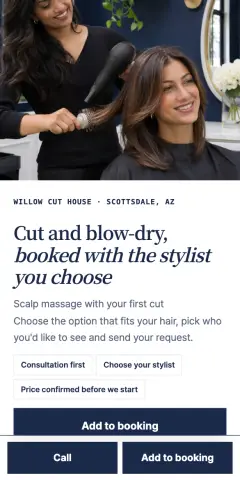 Beauty · Single service, pick stylist
Industry cautions
- Clinics: medical advertising rules apply to video too. Leave out before-and-after comparisons, patient testimonials and claims like "no side effects".
- People on camera: get consent from staff and customers for their face and voice.
- Music: much background music is copyrighted. Autoplay clips are muted anyway, so it's cleaner to skip music.

Checklist
- The headline and request button show before the video
- YouTube/Vimeo added as links (loaded on tap)
- Own clips are about 15 seconds and under 10MB
- Autoplay clips are muted
- There is a one-line caption under the video
- Clinic pages: no before-and-after or testimonials in the video
FAQ
Q. Will video increase sign-ups? A. It depends on the business and the clip. To know for sure, run an A/B test with and without the video and compare the request rate.
Q. Which is faster, a YouTube link or an upload? A. Both are light until played: YouTube loads one thumbnail, an uploaded clip loads only its first-frame information. A muted autoplay clip starts downloading when it scrolls into view.
Q. My video won't autoplay on iPhone. A. iPhones and Android phones block autoplay for video with sound. Check that the clip is set to play muted. Low Power Mode on iPhone can also stop autoplay.
Related guides
 Building pages4 ways to build a landing page: agency, website builder, landing page tool or custom codeAgency builds, website builders, landing page tools and custom code compared on time to launch, ease of edits, lead notifications, conversion tracking, privacy consent and cost structure, with when each one fits and what to check before ads go live whichever you choose.7 min read · 2026-11-18
 Building pages25-point landing page checklist before you turn on ads: first screen, form, tracking, consentTwenty-five checks before launching ads to a Korean landing page, grouped into first screen, form, call and KakaoTalk buttons, mobile speed, conversion tracking, privacy consent and medical ad rules, each with a one-line reason.4 min read · 2026-11-17
 Building pagesHow many fields should a lead form have? Data from 252 Korean ad landing pagesThe median lead form on Korean ad landing pages has 4 fields. Which questions each industry adds, which to drop, and when to switch to a step-by-step form.2 min read · 2026-11-17