4 ways to build a landing page: agency, website builder, landing page tool or custom code
Agency builds, website builders, landing page tools and custom code compared on time to launch, ease of edits, lead notifications, conversion tracking, privacy consent and cost structure, with when each one fits and what to check before ads go live whichever you choose.
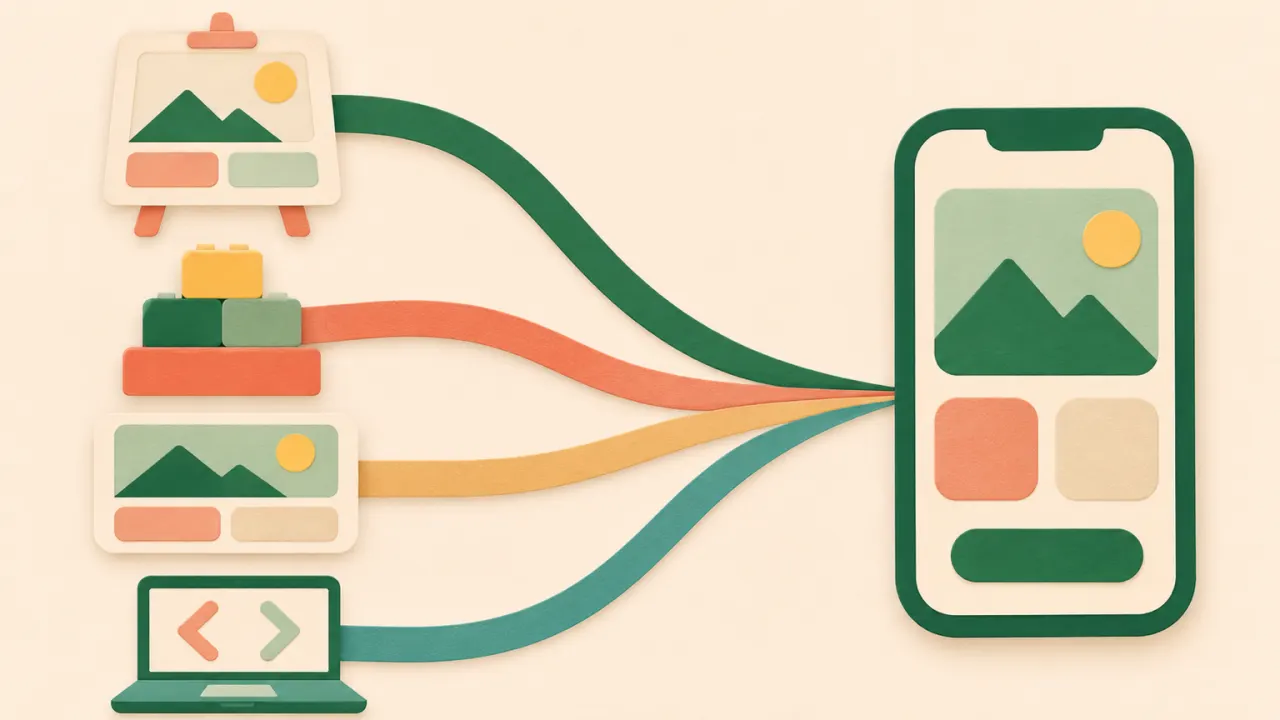
Answer: If you need a page that collects consultation or booking requests from ads this week, a landing page tool is the fastest route. If you need a photo shoot and brand design from scratch, hire an agency. If you already run your site on a website builder and leads are few, add one ad page there. If you have developers and need a deep link to your own CRM, build it in code. Whichever you choose, submit one lead from your phone before ads go live and confirm that the person in charge is notified and the ad platform records the conversion once.
Side-by-side comparison
| Agency build | Website builder | Landing page tool | Custom code | |
|---|---|---|---|---|
| Time to launch | Weeks (planning, drafts, revisions) | Days (pick a template, fill it in yourself) | Minutes (add your business name and phone to an industry template, publish) | Depends on the dev schedule |
| Making edits | Ask the agency and wait; out-of-scope changes cost extra | Edit yourself, live right away | Edit yourself, live right away | A developer edits and deploys |
| Form and lead notifications | Depends on the quote; email-only alerts are common | Basic forms included; messenger or spreadsheet alerts often need a separate integration tool | Lead inbox plus email and messenger alerts built in | You build it |
| Ad conversion tracking (pixel, Conversions API) | Pixel install is usually included; check when the conversion fires and whether the Conversions API is covered | Pixel via code snippet; Conversions API varies by builder | Usually you just paste the pixel ID; check Conversions API support per tool | Anything is possible, but it needs server work |
| Privacy consent text | Often the advertiser has to supply the text | Write it yourself and add a checkbox | Some tools include default text per industry | Write the text and store consent records yourself |
| Cost structure | Per-project fee + revision and maintenance fees | Monthly subscription (+ integration tool subscriptions) | Monthly subscription; some have a free plan | Developer time + hosting and maintenance |
| Best for | Businesses where design and brand impression drive the deal, with time to spare | Businesses that want an about page, blog and booking on one site | Local businesses taking consultation leads from ads; agencies running many clients | Teams with developers where integration with in-house systems matters |
Time and cost vary widely between vendors and plans, so the table only gives ranges. When you compare, look beyond what the first page costs and ask what it takes, in time and money, to change the ad headline once. Ads get rotated with new creative, so landing pages get edited more often than people expect.
When an agency makes sense
- The first impression drives whether the deal closes. For high-ticket treatments, real estate or franchise recruitment, money spent on photography and design has a chance of paying back.
- You will run the same page for months. If the copy rarely changes, revision fees are not much of a burden.
- Nobody on your side has time to run the page. If your ad agency and the build agency are different companies, though, every edit request goes through two hops and slows down.
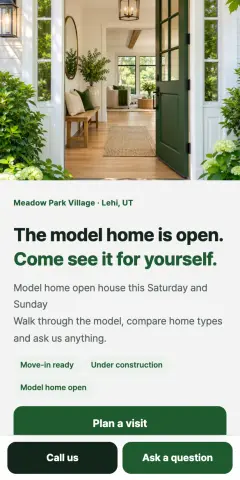
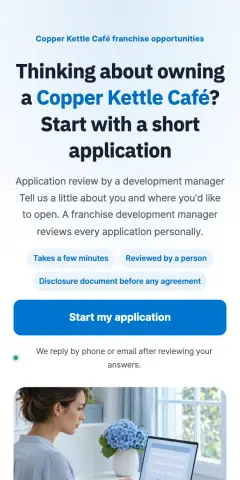
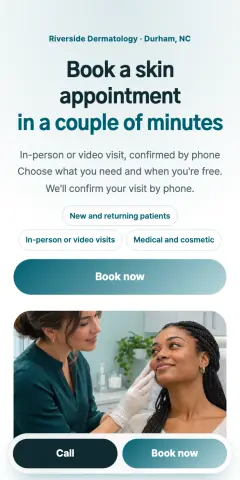
When you get a quote, look past the design mockups and write these into the contract or quote:
- How many free revisions, and what counts as one
- Who gets notified when a lead comes in, and how
- When the pixel fires (after the lead is saved, not on the button click), and whether the Conversions API is included
- Who writes the privacy consent text and privacy policy
- Whose account the lead data lives in, and who owns the domain and source files
A common problem with agency-built landing pages is a page made entirely of images. Text inside images is small on a phone, and changing one headline means sending it back to the designer.
When a website builder is enough
- You already run your site on that builder, your ad budget is small, and leads come in a few a day
- Someone can check lead emails every day
- You also need an about page, a blog or a booking page alongside the ad page
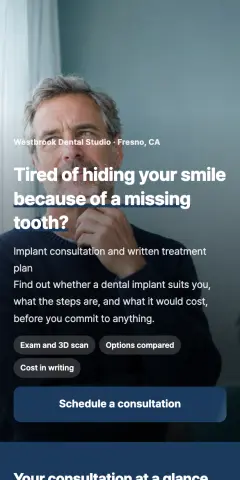

When you build an ad page in a website builder, take care of three things. First, create a separate ad page with the top menu and footer links cut down. With a full menu, people from ads wander to other pages instead of the form. Second, check that you can fire the conversion at "lead submitted". If the thank-you screen can have its own URL, using that URL as the conversion trigger is the simplest way. Third, check that the consent checkbox can be required and left unchecked by default.
When a landing page tool fits
- Businesses that take consultation leads from ads: clinics, academies, interior design, law firms, insurance
- You split pages by ad creative or change the headline often
- An agency manages landing pages and leads for many clients



The advantage is that the form, notifications, conversion tracking and consent text are connected from the start. The person in charge only edits copy and photos.
The limits are real too.
- Less design freedom. You stack predefined blocks, so the exact layout you have in mind may not come out. Companies with strict brand guidelines may find this frustrating.
- Templates used as-is look alike. Change the hero photo and headline yourself so you do not look like other businesses using the same industry template.
- Not suited to multi-menu sites. For an about section, blog or online store, a website builder is the better fit.
- Plan for moving later. Check up front whether you can export lead data to a spreadsheet or file and connect your own domain. That makes switching tools easier.
When custom code makes sense
It fits when you have in-house developers and lead data must go straight into your own CRM or booking system. You can build exactly the screen you want, but everything outside the page is yours to build and maintain too: notifications, fake lead filtering, consent records and the Conversions API. If marketers cannot edit copy themselves, the pace of ad testing gets tied to the dev schedule.
What to check whichever you choose
- One test lead. Submit a lead from your phone and check that the notification, the lead list and the ad platform conversion each register once. The rest is in our 25-point pre-launch checklist.
- Number of form fields. Name and phone plus one or two qualifying questions, three or four fields in total, is the baseline. The median on Korean ad landing page forms was 4 (lead form fields guide).
- Privacy consent. State the purpose, the items collected, the retention period and the right to refuse, and leave the checkbox unchecked (consent text guide).
- Count each conversion once. If you use the Meta pixel and the Conversions API together, send the same event ID so a lead is not counted twice (Meta Conversions API setup).
- Already have a page? Enter its URL in the free landing page audit. It lists what to fix, item by item, based on the mobile view.
Building it on CutLanding
- Pick a template. Choose an industry template and you get a draft with form questions and consent text already in place.
- Add your business details. You need a business name and phone number to publish, and they fill in the business details at the bottom of the page and the privacy policy. Add the email for notifications and your ad platform pixel IDs at this point too.
- Publish. Publishing opens the address you will put in your ads. You can also connect your own domain.
- Send a test lead. Use "Send a test lead" to check that notifications reach the email, messenger or spreadsheet you connected. For the ad platform conversion, submitting a lead on the published page from your own phone is the surer check.
- Add the ad link. Copy the address with the "Ad link" button in your page list and add utm_source and utm_content to each ad. The performance screen then splits leads by platform and creative (UTM link builder).
FAQ
Do I need a landing page if I already have a website?
If the goal of the ad is a consultation request, a separate page usually works better. A website has many menus and pages, and people from ads often browse around and leave without reaching the form. Of 252 Korean ad landing pages we checked, 61 sent ad traffic to a clinic or company homepage (or a sub-page). If you have to use your website, make an ad-only sub-page with a reduced menu and put the form right below the first screen.
Can I point several ads at one landing page?
Yes. Give each ad its own UTM tags and you can see which platform and creative each lead came from (UTM guide). If the ads make different promises, though, such as an implant ad and a braces ad going to the same page, the headline will not match one of them. In that case, duplicate the page and change only the first screen.
Can I build one for free?
It depends on the method. Agencies and custom code cost money. Some website builders and landing page tools have free plans, but they usually limit the number of pages, domains or integrations. CutLanding gives you the Starter plan free for 14 days from the day you publish your first page, with no card needed; after that, plans start at $9 a month (see the pricing page). Ad spend is separate.
Related guides
 GlossaryWhat Is a Landing Page? How It Differs from a Homepage, and the Basic Structure of an Ad Landing PageA landing page is the page people reach after clicking an ad, built to drive one action (request a consultation, book an appointment, buy). This guide covers how it differs from a homepage, its basic structure, and how to build one.2 min read · 2026-11-17
 Building pages25-point landing page checklist before you turn on ads: first screen, form, tracking, consentTwenty-five checks before launching ads to a Korean landing page, grouped into first screen, form, call and KakaoTalk buttons, mobile speed, conversion tracking, privacy consent and medical ad rules, each with a one-line reason.4 min read · 2026-11-17
 Building pagesHow many fields should a lead form have? Data from 252 Korean ad landing pagesThe median lead form on Korean ad landing pages has 4 fields. Which questions each industry adds, which to drop, and when to switch to a step-by-step form.2 min read · 2026-11-17