Meta Instant Forms vs landing pages: which to use and when
A comparison of Meta lead ads' Instant Forms and landing pages by lead quality, how to compare cost, conversion tracking, follow-up speed and Korean privacy consent, with a guide to which to try first by industry.

Answer: If you want sign-ups quickly and someone is ready to call new leads right away, use Instant Forms. If you need to explain prices, process or doctors, or you run ads on several platforms, use a landing page. Which one wins can only be judged by cost per lead that actually reached a consultation, not by cost per sign-up.
How the two differ
Instant Forms are the forms used in Meta lead ads. Tapping the ad opens the form right inside Facebook or Instagram, and fields such as name, phone and email are pre-filled from the person's Meta account. They just check and submit.
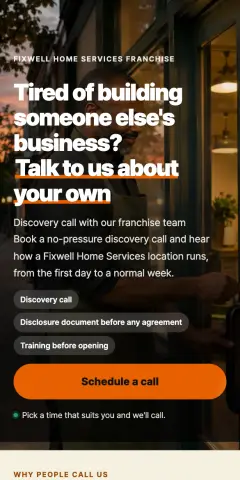

A landing page is a web page the advertiser owns. Tapping the ad opens it in the app's built-in browser; the person reads it and fills in the form themselves.
| Instant Form | Landing page | |
|---|---|---|
| Steps to submit | Ad → form → submit | Ad → page load → read → type → submit |
| Contact details | Pre-filled from the account | Typed by hand |
| Room to explain | Roughly an intro screen before the form | Prices, process, photos, directions, FAQ |
| Call and KakaoTalk buttons | Limited inside the form | Sticky buttons that connect directly |
| Other platforms | Meta only | Same page for Naver, Kakao and Google ads |
| Where leads go | Meta's business tools (download manually unless integrated) | Your own inbox and notifications |
| Tracking | Counted inside Meta | Pixel, Conversions API, UTM, GA4 |
(Naver and Kakao are Korea's main search and messenger platforms, and both sell ads.)
Lead quality
Because Instant Forms are so easy, they also bring in submissions from people who didn't think much about it. The pre-filled number may not be the one they use now. So when you use Instant Forms, add these:
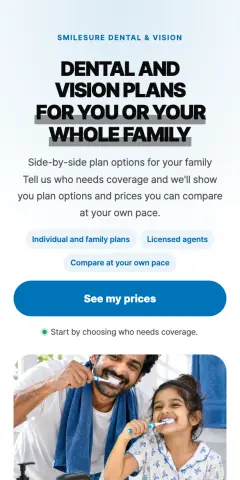

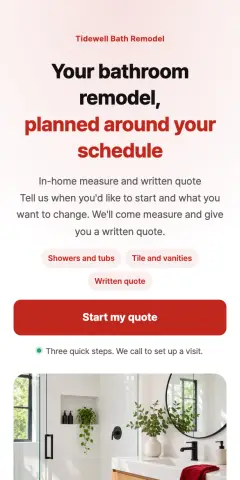
- The "Higher intent" form type: adds a review step where people confirm their details before submitting. You may get fewer leads, but it helps filter careless submissions.
- One qualifying question: budget, home size or timing, to sort out who you can serve (questions by industry).
- Conditions on the intro screen: state limits like "in-person consultations only" or "Gangnam-gu only" up front.
On a landing page people read before they apply, so there are fewer sign-ups but more of them know what they're asking for. In return, a slow page or long form loses many people along the way.
How to compare cost
The "cost per lead" in Meta Ads Manager tends to look lower for Instant Forms because submitting is easier. Judged by that number alone, Instant Forms always win. What you should look at:
- Cost per completed consultation = ad spend ÷ leads you actually spoke with
- Cost per contract = ad spend ÷ contracts
To get these, run both over the same period with the same creative, split into separate ad sets, and record an outcome for every lead: contacted, consulted, invalid (unreachable or not eligible).
Conversion tracking
Instant Form leads are counted inside Meta, so no pixel is needed. But because no website is involved, GA4, Naver and Kakao never see those leads. To make Meta learn from "people who reached a consultation" rather than "people who submitted", you need a separate setup that sends outcomes back to Meta, for example from your CRM.
A landing page sends leads through the pixel and Conversions API (Meta Conversions API setup) and keeps the source in UTM parameters. Use the same page for Naver and Kakao ads and you can compare leads and outcomes per platform in one inbox.
Follow-up speed
Right after submitting, people are still holding their phone and remember what they asked for. Whichever format you use, the rule is call as soon as possible during business hours.
Without an integration, Instant Form leads stay inside Meta and someone has to go in and check. Connect notifications through a CRM or integration tool. For a landing page, set notifications by email or messenger the moment a lead arrives.
Privacy consent: what to watch in Korea
Even through an Instant Form, the advertiser is the one collecting contact details and using them for consultations. Meta requires a link to the advertiser's privacy policy in the form, but it doesn't make the form meet Korean consent requirements (purpose, items, retention period, right to refuse) for you. The safer approach is to write those four items in the form's custom disclaimer and collect a consent checkbox (consent text guide).
In health-related industries such as clinics, don't ask about symptoms or medical history in Instant Forms either. Meta's own policies may also restrict sensitive questions such as health conditions.
Which to try first, by situation
| Situation | Try first | Why |
|---|---|---|
| Pop-up or event pre-registration, free trials | Instant Form | Little to explain, volume matters |
| Insurance review, appliance rental, car leasing | Test both | Phone-led sales, so follow-up speed decides the result |
| Dental, dermatology, Korean medicine clinics | Landing page | You need to show pricing approach, doctors and required notices |
| Interior, law, new apartments, franchise | Landing page | Big decisions; people who read first are the ones who reach a consultation |
| Also running Naver or Kakao ads | Landing page | One page to compare platforms |
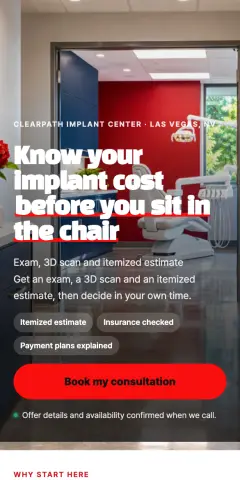 Dental · Estimate-first implant page
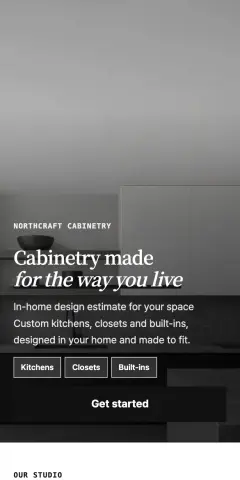 Cabinetry · Gallery with repeated buttons
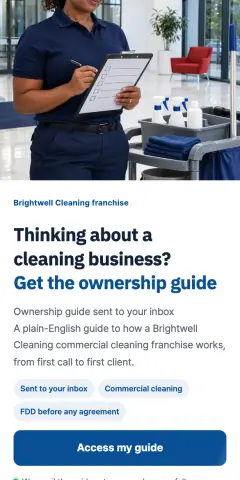 Franchise · Free ownership guide
On CutLanding
Leads from your landing page land in the inbox and trigger instant notifications by email, Slack, Telegram and more. When you change a lead's status to "consulted" or "contracted", pages with Meta Conversions API connected can send that outcome back to Meta so ads learn from people who reached a consultation (only for leads that consented to ad measurement).
FAQ
Can I use both in the same campaign?
Split them into separate ad sets with the same budget and creative for a clean comparison. Mixing them in one ad set makes it hard to tell which led to consultations.
Instant Form leads say they never signed up.
Usually they submitted the pre-filled form without much thought. Switch to the "Higher intent" type, add a qualifying question, and open the call by saying which ad they responded to.
Do Instant Forms need privacy consent text too?
The advertiser collects and uses the contact details either way, so the safe assumption is yes. This article is general guidance, not legal advice.
Related guides
 Conversion trackingMeta Conversions API (CAPI) for lead forms: send leads without double countingHow to send leads to Meta through both the Pixel and the Conversions API with one shared event ID, get an access token, verify in Test Events, and handle consent for hashed contact data.3 min read · 2026-11-17
 Building pages7 Ways to Filter Fake and Duplicate Leads: Settings That Protect Ad Lead QualityRepeat submissions from the same number, bots, forms submitted too fast, strange names, rapid-fire submissions, overseas traffic, and inquiries outside your target. Here is how to catch fake and duplicate inquiries the moment they arrive on an ad landing page.3 min read · 2026-11-17
 Privacy and lawConsent text for lead forms in Korea (PIPA): the four required items, with examplesRunning lead ads in Korea? What your form's consent text must say under the Personal Information Protection Act, how to separate required and optional consents, why pre-checked boxes fail, and a cross-border transfer example for Meta and Google.2 min read · 2026-11-17